Decipher your archive

Transcribe difficult handwriting instantly and turn your unwieldy manuscripts into an organized, searchable digital library

How it works

The transcription quality is outstanding—far superior to other tools I’ve used, including Transkribus. It handled complex manuscript material with remarkable accuracy. I was genuinely astonished by how well it performed on sixteenth- and seventeenth-century English manuscripts, Latin texts, and even Law French.

Olav Sigmundstad

PhD Student in History, University of Cambridge

Enhance your workflow with Leo

Accelerate your research with Leo’s unique, all-in-one transcription and document management platform

AI-powered transcription

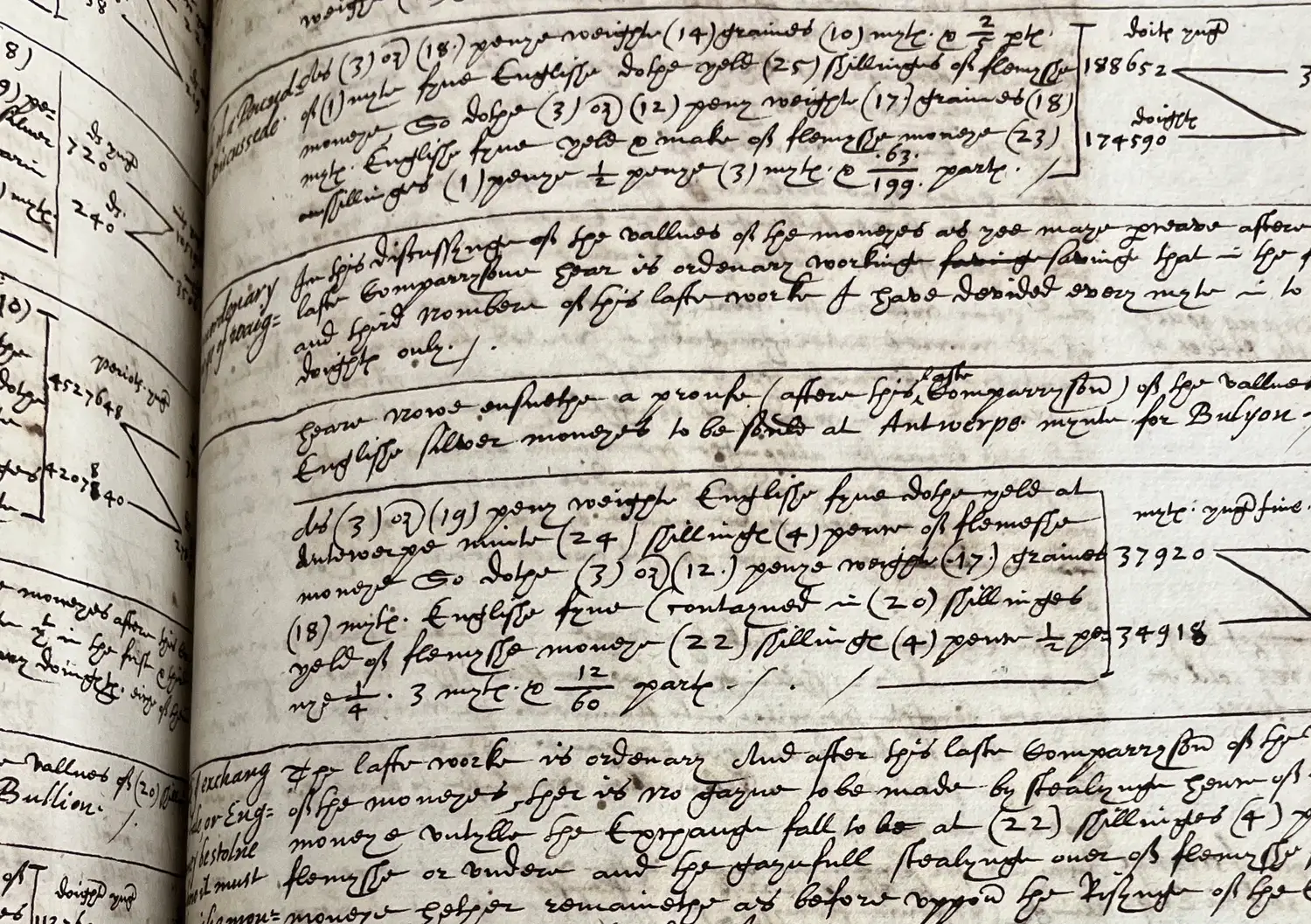
Leo's AI-powered transcription system is ready to use right out of the box, preserving strikethroughs, additions, margin notes, and tables

  • Unique, state-of-the-art model for historical handwriting
  • Instant results with no model training required
  • Flexibility to use other models, including GPT, Gemini, and Claude
Seamless organization

Keep all your primary sources in one place, categorized, and easy to find with Leo's intuitive file structure, advanced search and metadata filtering capabilities

  • Organize your collection into custom folders
  • Search across all your transcriptions and notes
  • Export documents as XML, Word, or PDF

Advanced analysis

Use our advanced AI tools to generate sophisticated, research-ready insights across your entire collection at the click of a button

  • Rapidly correct, modernize, and translate text
  • Automatically create summaries, glossaries, and extract named entities
  • Interpolate results from multiple models

Share your collection

Share your documents with friends, colleagues, and students to add to their own collections or access even if they don't have a Leo account

  • Distribute primary sources without technical barriers
  • Share your documents via secure public links
  • Allow other users to copy documents to their own collections
I would very much recommend this to both my students and colleagues. It's a game changer for archival research that can save us so much time.

Jason Glenn

Associate Professor of History, University of Southern California

Pricing

Versatile pricing for every project

Free

$0

tick

Storage: 100 images

tick

Monthly credits: 10

Standard

Popular

$15

/month

tick

Storage: 10,000 images

tick

Monthly credits: 100

Scholar

$65

/month

tick

Storage: 50,000 images

tick

Monthly credits: 500

Professional

$120

/month

tick

Storage: 100,000 images

tick

Monthly credits: 1,000

Additional lifetime credits

The credits attached to the subscription options last until the end of every monthly billing cycle. Users with additional needs can purchase extra lifetime credits which never expire.

100 credits

$20

500 credits

$80

1,000 credits

$150

What our users say

Leo is a game changer for a large data project—it promises to speed up exponentially the process of moving all the documents to a digital humanities project where all transcribed documents will go through XML markup and connect to a growing relational database. The bottleneck is no longer transcription.

Kirt von Daacke

Professor of History, University of Virginia

Leo is an incredibly impressive programme, one that, for my specific sources, performs at a level I previously did not think was possible. My sincere congratulations for developing something that could genuinely become a game changer for how we interact with historical documents!

Michaela Kalcher

DPhil Candidate in History, University of Oxford

Reading is what? Fundamental! Leo was so clearly made by historians who know what our very technical and material needs are. The Dropbox-like interface to organize documents, as well as the original image side-by-side the transcription textbox are logical design choices that make for a comfortable user experience. This layout allowed me to easily read the transcriptions alongside original documents, which also taught me to work through the paleographic elements of my archival sources more efficiently.

Beshouy Botros

PhD Candidate in History, Yale University

Overall, I found using Leo very easy. As someone without much experience using transcription software (or software of any kind - even Zotero was too awkward for me!) I found Leo extremely user friendly. It coped well with illegible handwriting, ink stains and strikeouts within the text which made the experience much easier.

Ailsa Maxwell

DPhil Candidate in History, University of Oxford

Leo has been an exceptionally helpful and user-friendly tool, and it has already made a meaningful difference in the speed, accuracy, and organization of my archival research. What I liked most is how intuitive the interface is and how well Leo handles handwritten historical documents across multiple languages. The platform preserves formatting, reads difficult or low-quality scans surprisingly well, and makes large-scale transcription projects far more manageable than any other tool I’ve used.

Danielle Wirsansky

PhD Candidate in History, Florida State University

Leo is a game changer for a large data project—it promises to speed up exponentially the process of moving all the documents to a digital humanities project where all transcribed documents will go through XML markup and connect to a growing relational database. The bottleneck is no longer transcription.

Kirt von Daacke

Professor of History, University of Virginia

Leo is an incredibly impressive programme, one that, for my specific sources, performs at a level I previously did not think was possible. My sincere congratulations for developing something that could genuinely become a game changer for how we interact with historical documents!

Michaela Kalcher

DPhil Candidate in History, University of Oxford

Reading is what? Fundamental! Leo was so clearly made by historians who know what our very technical and material needs are. The Dropbox-like interface to organize documents, as well as the original image side-by-side the transcription textbox are logical design choices that make for a comfortable user experience. This layout allowed me to easily read the transcriptions alongside original documents, which also taught me to work through the paleographic elements of my archival sources more efficiently.

Beshouy Botros

PhD Candidate in History, Yale University

Overall, I found using Leo very easy. As someone without much experience using transcription software (or software of any kind - even Zotero was too awkward for me!) I found Leo extremely user friendly. It coped well with illegible handwriting, ink stains and strikeouts within the text which made the experience much easier.

Ailsa Maxwell

DPhil Candidate in History, University of Oxford

Leo has been an exceptionally helpful and user-friendly tool, and it has already made a meaningful difference in the speed, accuracy, and organization of my archival research. What I liked most is how intuitive the interface is and how well Leo handles handwritten historical documents across multiple languages. The platform preserves formatting, reads difficult or low-quality scans surprisingly well, and makes large-scale transcription projects far more manageable than any other tool I’ve used.

Danielle Wirsansky

PhD Candidate in History, Florida State University

Leo is a game changer for a large data project—it promises to speed up exponentially the process of moving all the documents to a digital humanities project where all transcribed documents will go through XML markup and connect to a growing relational database. The bottleneck is no longer transcription.

Kirt von Daacke

Professor of History, University of Virginia

Leo is an incredibly impressive programme, one that, for my specific sources, performs at a level I previously did not think was possible. My sincere congratulations for developing something that could genuinely become a game changer for how we interact with historical documents!

Michaela Kalcher

DPhil Candidate in History, University of Oxford

Reading is what? Fundamental! Leo was so clearly made by historians who know what our very technical and material needs are. The Dropbox-like interface to organize documents, as well as the original image side-by-side the transcription textbox are logical design choices that make for a comfortable user experience. This layout allowed me to easily read the transcriptions alongside original documents, which also taught me to work through the paleographic elements of my archival sources more efficiently.

Beshouy Botros

PhD Candidate in History, Yale University

Overall, I found using Leo very easy. As someone without much experience using transcription software (or software of any kind - even Zotero was too awkward for me!) I found Leo extremely user friendly. It coped well with illegible handwriting, ink stains and strikeouts within the text which made the experience much easier.

Ailsa Maxwell

DPhil Candidate in History, University of Oxford

Leo has been an exceptionally helpful and user-friendly tool, and it has already made a meaningful difference in the speed, accuracy, and organization of my archival research. What I liked most is how intuitive the interface is and how well Leo handles handwritten historical documents across multiple languages. The platform preserves formatting, reads difficult or low-quality scans surprisingly well, and makes large-scale transcription projects far more manageable than any other tool I’ve used.

Danielle Wirsansky

PhD Candidate in History, Florida State University

FAQs

If you have a question that isn't answered here, join our community or get in touch directly by pressing the button below and we'll be happy to help

Leo, our namesake mascot, after the Latin word for lion, symbolizes strength, dependability, and insight. It’s also short for paleography, the study of deciphering historical manuscripts, derived from the Greek roots palaiós (old) gráphein (to write). And in Spanish, leo means "I read," aligning with our mission to help you interpret the past with ease.

A team of two co-founders are behind Leo. Jon Cooper holds a BA in History and an MSc in the History and Philosophy of Science from Cambridge, where he developed an interest in early modern Britain and its empire. He is currently a PhD candidate at Stanford, writing a dissertation that reinterprets the rise of economic theory in the early seventeenth century through the lens of monetary history. Jack Weston holds a Master's in Physics from Oxford and a PhD in Physics from Cambridge. His doctoral research focused on developing novel machine learning methods for interpreting particle physics data. He is also formerly the co-founder and Chief Technology Officer of an AI biotechnology startup. Jon and Jack met at Cambridge and came up with the idea of collaborating on Leo at the Mill Road Winter Fair in December 2022.

Leo is powered by a state-of-the-art AI model built on Transformer technology, the same architecture as general-purpose language models like GPT, Gemini, and Claude, but fine-tuned to accurately extract text from images of historical documents. It runs as a program on a special computer called a GPU (Graphics Processing Unit), which interprets the input that the user uploads as generalized statistical data before sending meaningful text back. Guided by vast amounts of training data, it breaks down the image of a document into numerical patterns, recognizing relationships between different parts of the text. The key mechanism that enables this is called attention—specifically, "self-attention." For instance, a human reader might read a challenging manuscript by using context from the surrounding words to infer what an unclear letter or word should be. Transformers do something similar, mathematically weighing how important each part of the text is in relation to the rest. The final output is the model’s best estimate of what was written. Through repeated refinement, it will learn to recognize patterns more effectively and so improve its accuracy over time.

Leo leverages the latest advancements in AI and machine learning technology to offer a service that is uniquely well optimised for the complexities of working with historical manuscripts. Unlike traditional HTR (handwritten text recognition) platforms that require users to manually transcribe many pages to train a custom model, it delivers high-accuracy results immediately. Beyond its industry-leading transcription capabilities, Leo also serves as a comprehensive research hub, integrating document management, advanced search, and annotation tools into a single, intuitive workflow.

Leo is trained to work for books, newspapers, and other printed materials, as well as manuscripts written in handwriting such as secretary or cursive hand. This includes the vast majority of English texts produced over the past half millennium, with the exception of manuscripts written in less common hands, such as those used in some clerical and legal contexts. Our model also works very well for texts written in Latin, French, German, Spanish, and other major European languages. We’re hard at work improving our support for these languages, as well as older and non-Latin scripts.

Each credit transcribes a single image. Each image can be a single page or a double-page spread.

Monthly credits come with subscriptions and expire at the end of each monthly billing cycle. The billing cycle is based on the date you originally purchased your subscriptions, not the end of the calendar month. These credits refresh each month but any unused credits from the previous cycle will expire. This model allows us to plan ahead and allocate resources efficiently, helping keep subscription pricing lower and service levels consistent.

Lifetime credits, on the other hand, never expire and can be used at any time. They offer long-term flexibility and guaranteed access without ongoing payments. However, since we must ensure system availability indefinitely for these credits, they involve higher long-term costs. Their pricing reflects this ongoing commitment and the value of unrestricted access.

If your paid subscription expires, your storage limit reverts to 100 images, as per the free plan. You won’t be able to upload new images beyond this limit, but all your previously uploaded images and content, including transcriptions, notes, and other data, will remain accessible, editable, and exportable.

Yes! If your project requires 5,000 credits or more, we offer custom pricing. Please reach out to jon@tryleo.ai to discuss your needs.

We prioritize your privacy and adhere to all applicable data protection regulations. We will never sell your data to third parties (including to advertisers, data brokers, or anybody else). In addition, we collect and process all personal information in adherence to both the UK and EU General Data Protection Regulation (GDPR) standards. For more details, please refer to our Privacy Policy and Terms of Service.

Decipher your archive with Leo

Join the professional historians, archivists, and family researchers using Leo to supercharge their manuscript workflow

See Leo in action

© 2026 Leo Technologies Limited. All rights reserved